Click-to-move in Unity: moving a character along the mouse path
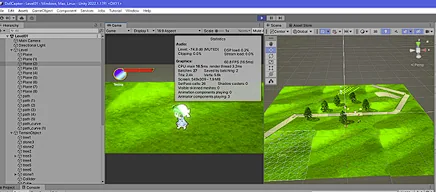
I have always been fond of 2D/3D games like Ragnarok Online, where you click on the ground and your character walks there. I first studied the technique behind it, mouse picking, for my 2007 final-year project, and recently used it again for a small Unity game.
How mouse picking works
The screen is a window into the 3D world. Every pixel corresponds to a ray that starts at the camera and passes through that pixel. When the player clicks, we build that ray, find the first surface it hits (here, the ground) and use the hit point as the character’s destination.
There are two classic ways to pick: ray casting, which is exact but does a little more work, and reading back the depth buffer, which is fast but only as precise as the stored depth. Because the work only happens when the player clicks, the cost of a ray cast is negligible, which is why it is the usual choice for click-to-move.
The steps
- When the mouse button is pressed (or held), turn the mouse position into a ray with
Camera.ScreenPointToRay. - Raycast against the ground layer only, so props, characters and other colliders cannot steal the click.
- Store the hit point as the target, keeping the character’s own height so it neither sinks nor floats.
- Every physics step, move towards the target.
- Inside a small stopping distance, stop and clear the target.
The script
This is a cleaned-up version of the controller from the prototype. Compared with my first version it reads input in Update and moves the body in FixedUpdate, keeps an explicit hasTarget flag instead of comparing against the current position, and steers with a normalised direction rather than a Lerp.
using UnityEngine;

[RequireComponent(typeof(Rigidbody))]
public class ClickToMove : MonoBehaviour
{
    [SerializeField] float moveSpeed = 4f;
    [SerializeField] float stopDistance = 0.1f;
    [SerializeField] LayerMask groundLayer; // only the walkable ground

    Rigidbody rb;
    Camera cam;
    Vector3 target;
    bool hasTarget;

    void Awake()
    {
        rb = GetComponent<Rigidbody>();
        cam = Camera.main;
    }

    void Update()
    {
        // Pick a destination on click, and keep updating it while the button is held.
        if (!Input.GetMouseButton(0)) return;
        Ray ray = cam.ScreenPointToRay(Input.mousePosition);
        if (Physics.Raycast(ray, out RaycastHit hit, Mathf.Infinity, groundLayer))
        {
            target = new Vector3(hit.point.x, transform.position.y, hit.point.z);
            hasTarget = true;
            Debug.DrawRay(ray.origin, ray.direction * hit.distance, Color.yellow, 1f);
        }
    }

    void FixedUpdate()
    {
        if (!hasTarget) return;
        Vector3 toTarget = target - rb.position;
        toTarget.y = 0f;
        if (toTarget.magnitude <= stopDistance)
        {
            // Arrived: stop on the ground plane and clear the target.
            rb.linearVelocity = new Vector3(0f, rb.linearVelocity.y, 0f);
            hasTarget = false;
            return;
        }
        Vector3 dir = toTarget.normalized;
        rb.linearVelocity = new Vector3(dir.x * moveSpeed, rb.linearVelocity.y, dir.z * moveSpeed);
        rb.MoveRotation(Quaternion.LookRotation(dir));
    }
}
Version note: Unity 6 renamed Rigidbody.velocity to linearVelocity; on Unity 2022 or earlier, use velocity. If your project uses the newer Input System package, read the click from Mouse.current.leftButton and Mouse.current.position instead of Input.
Things that tripped me up
- Clicking a wall or an NPC sent the character to the wrong place until the raycast used a ground-only layer mask.
- Sinking or floating: using the hit point’s y moves the body into slopes; keeping the character’s own height avoids it.
- Jitter at the destination: without a stopping distance the character overshoots and turns back and forth.
- Gameplay state still matters: my prototype ignored movement while the player had fainted. Input should go through the same rules as everything else.
- Obstacles: this walks in a straight line. For real levels, bake a NavMesh and call
NavMeshAgent.SetDestination(hit.point)so the character paths around walls.
The same picking idea powered the click-to-move controls in my 2007 DirectX RPG prototype, nearly twenty years earlier.
Sources
- Chow Ying Kit (Rick Chow), AI Role Playing Game Development, final-year project report, City University of Hong Kong, 2006–07, section 5.2 “Technique of Mouse Picking”. CityU Library PDF
- Unity Scripting Reference: Camera.ScreenPointToRay and Physics.Raycast